Every morning
Your lockscreen teaches you Japanese.
One new character a day, on the screen you already check a hundred times. Hiragana, then katakana, then the sound rules that turn them into real words. 106 days, two minutes each.
iPhone and iPad. 3 days free, then $49.99 a year.
The whole habit
Glance. Trace. Recall.
Most language apps ask for a session. Hibi asks for the two seconds you were already going to spend looking at your phone, and gives you somewhere to go deeper when you want it.
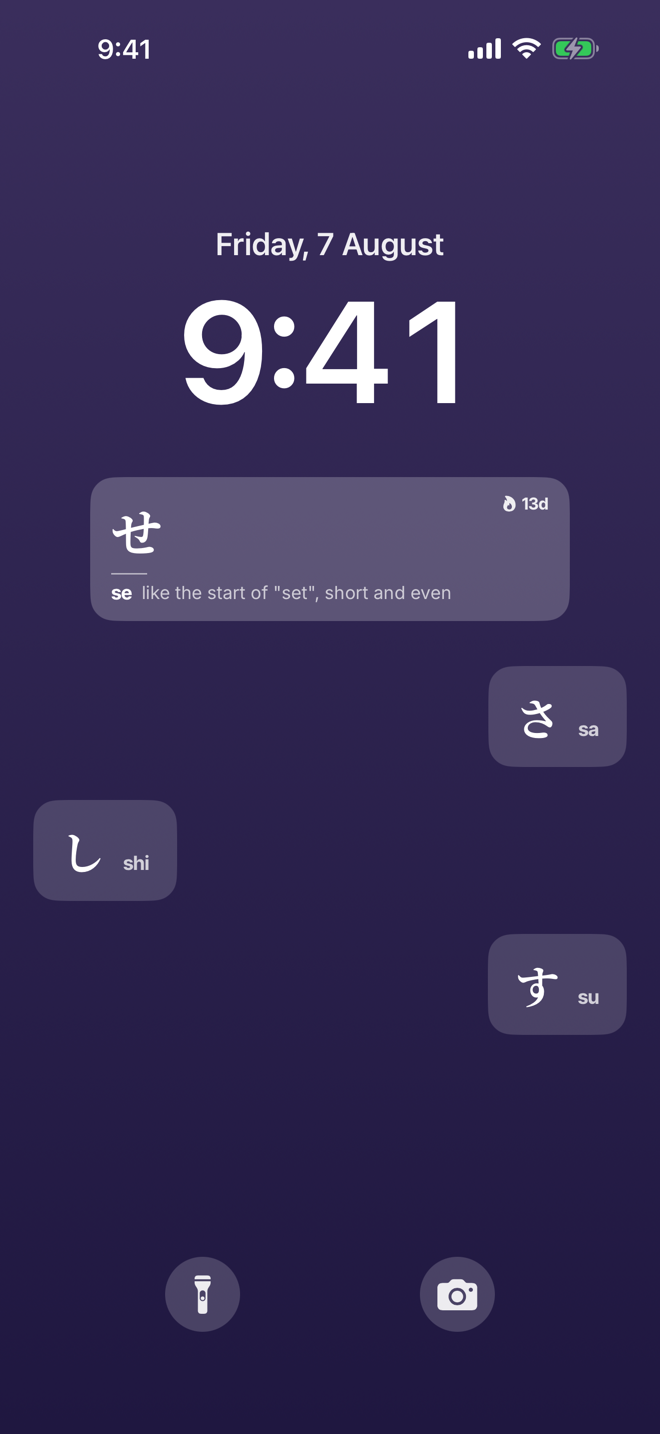
The widget is the appointment
Today's character sits on your lockscreen and home screen. It does not buzz, it does not beg, it does not guilt you at 9pm. It is simply there when you pick up your phone.
Write it yourself
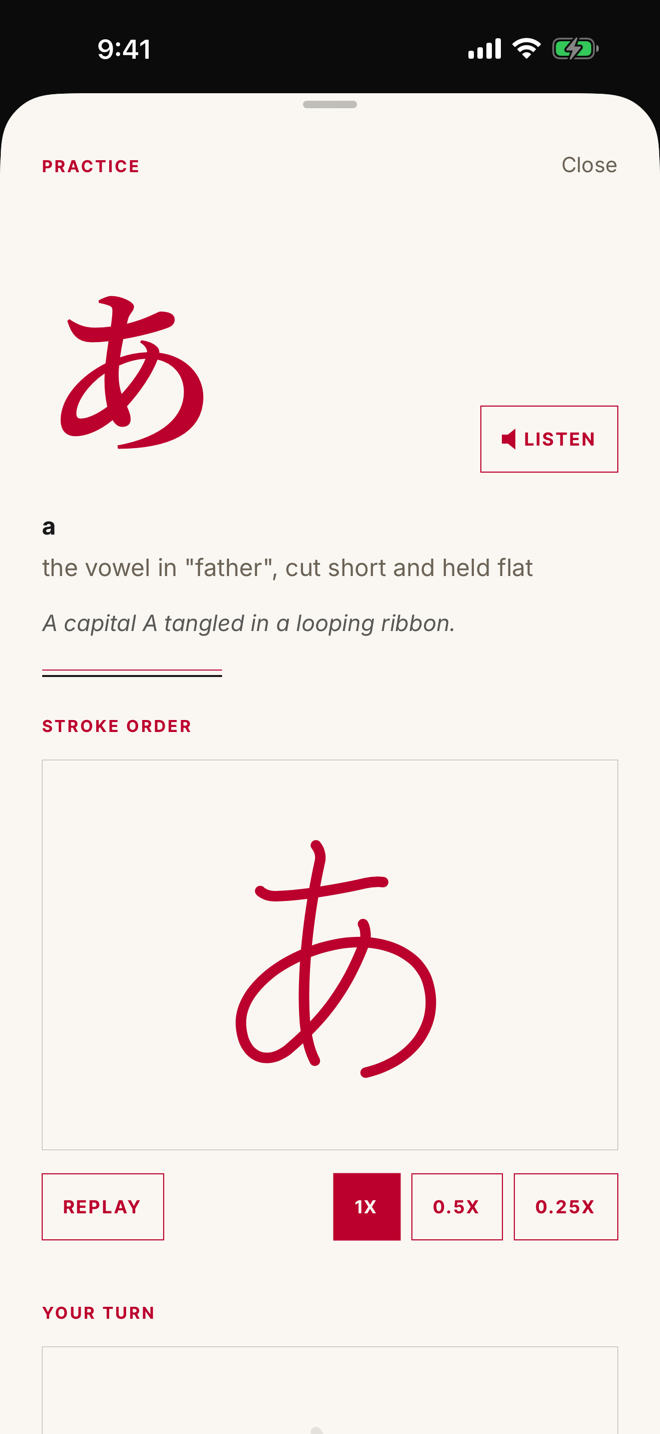
Every character draws itself stroke by stroke, then you trace it with your finger and see exactly where you drifted.
It comes back
Reviews are scheduled by FSRS, the open spaced repetition algorithm. What you know comes back rarely. What you keep missing comes back soon.
Inside
Six screens, no confetti.
Before day one
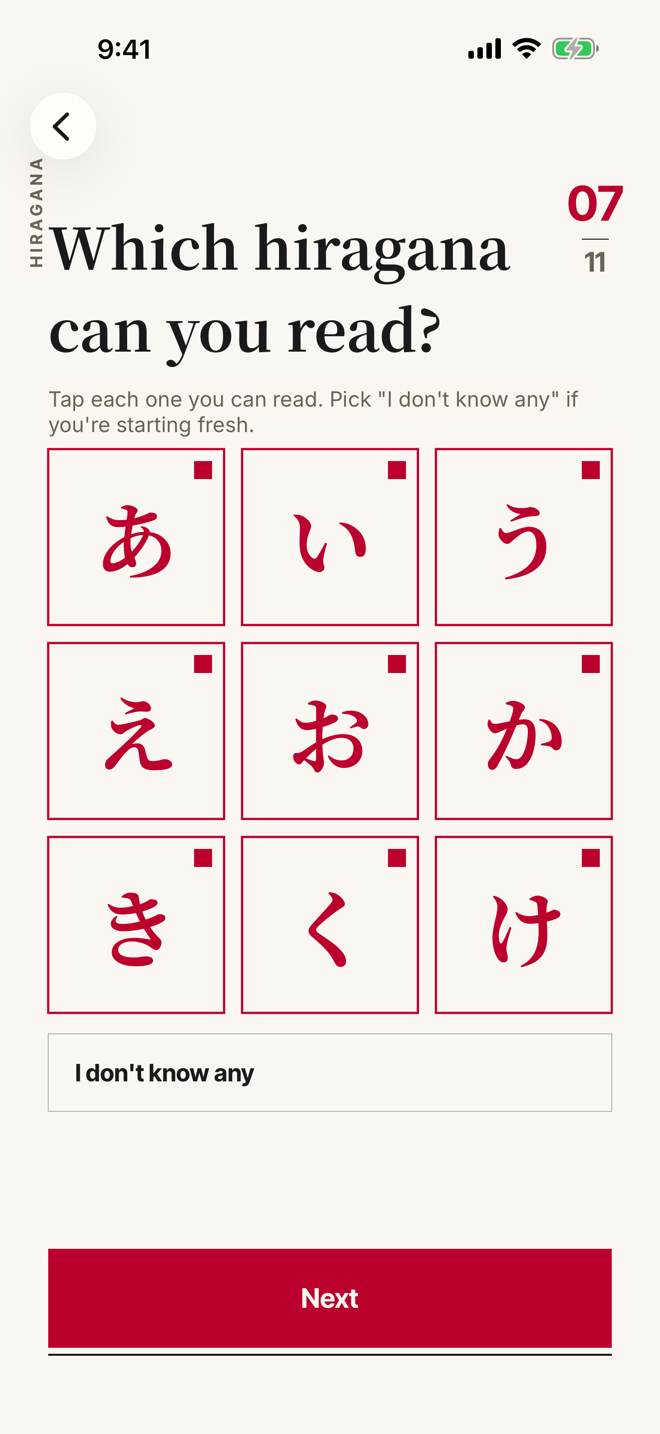
Start where you actually are.
Tap the kana you already read. Hibi skips them.
Your pace
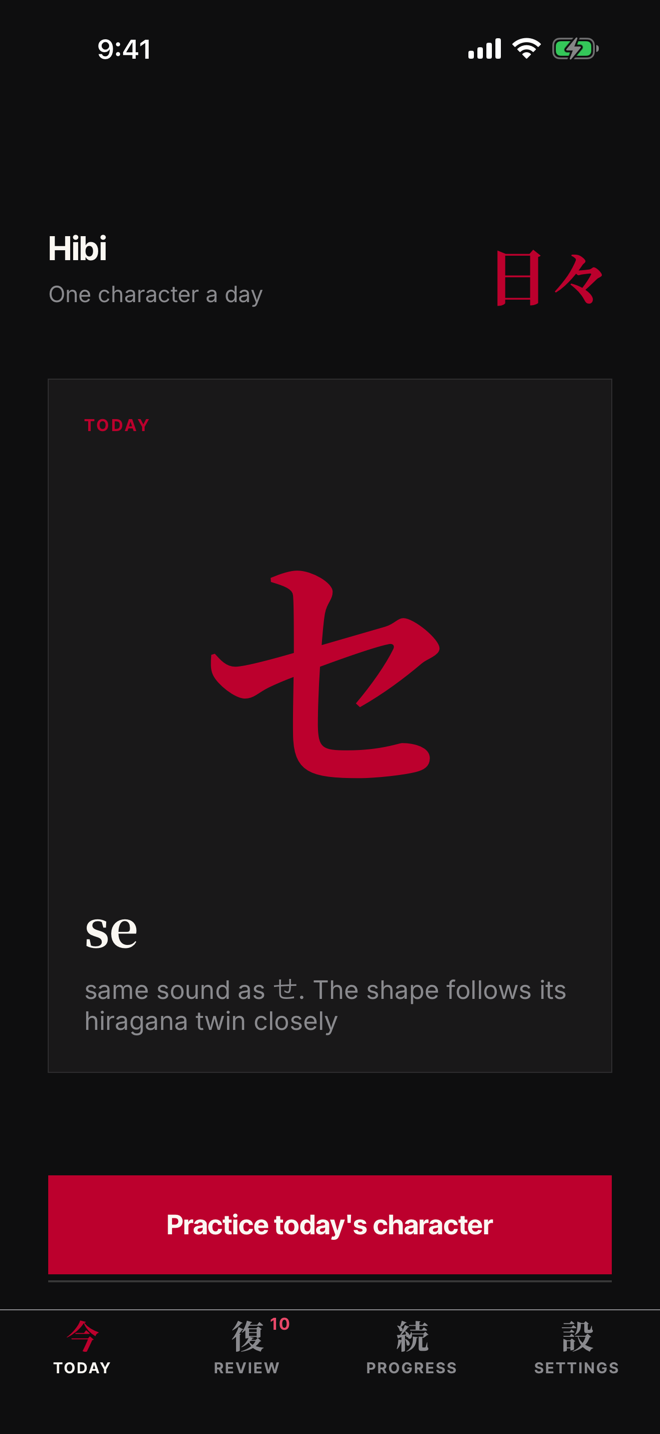
Learn one a day. Or five, if you're in a hurry.
Hiragana, then katakana, then the sounds that make words.
Stroke order
Trace every stroke until your hand knows it.
Stroke by stroke, in the order Japanese schools teach.
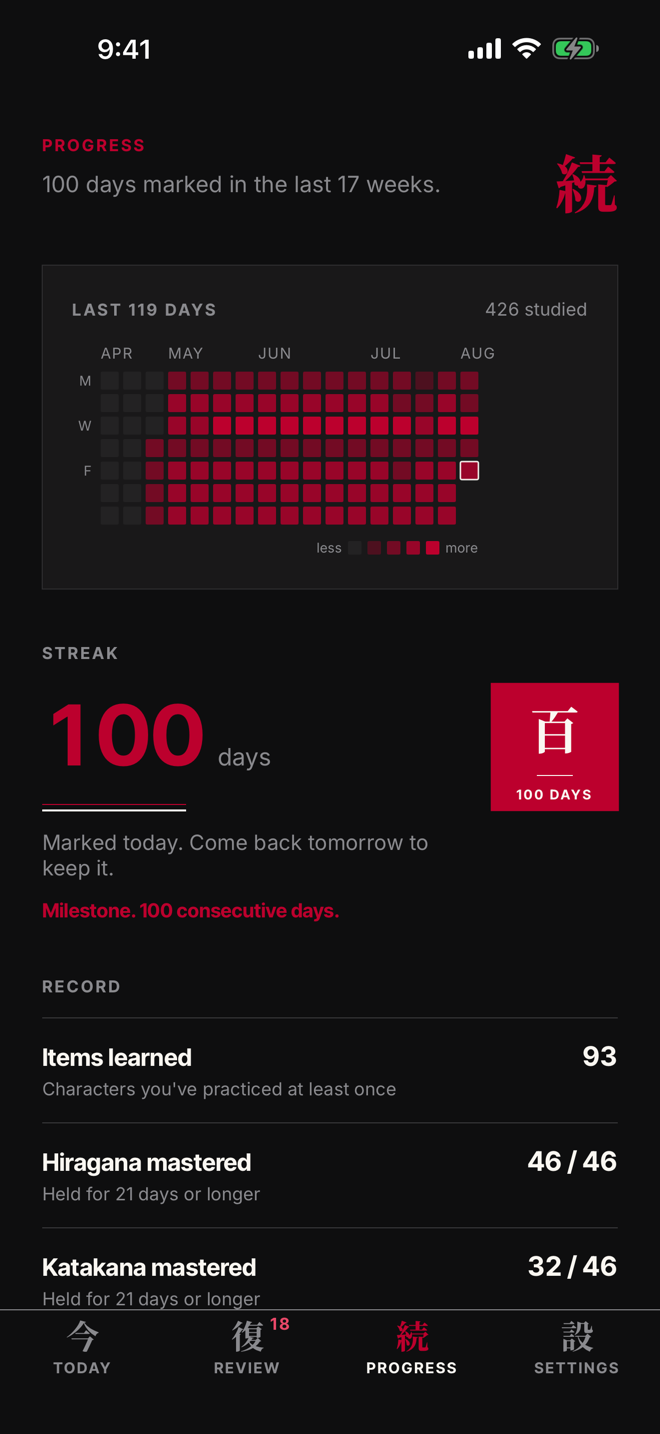
A hundred days
Watch a hundred days add up.
A stamp at seven days, thirty, and a hundred.
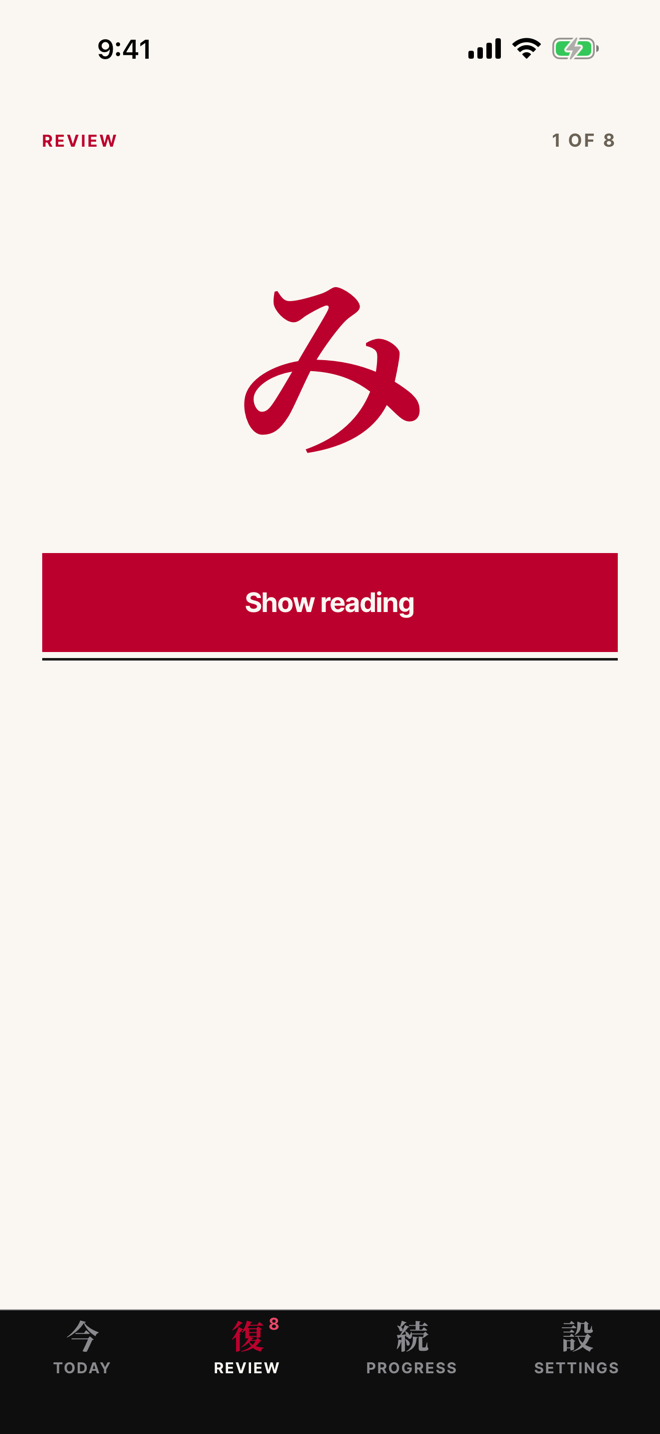
In the app
Recall it with the answer hidden.
Then it comes back, spaced out, until it sticks.
Every morning
One new character a day. No app to open.
The lockscreen widget refreshes at midnight, local time.
The course
106 days, in the order the chart is printed.
Gojūon order: the same order as every kana chart and Japanese keyboard you will ever use. Most apps open with kanji and let you drown in it. Hibi holds the line until you can actually read.
Hiragana
The alphabet everything else is built on, あ through ん.
Katakana
The script for every borrowed word on every menu and sign.
The sound rules
Dakuten, the small tsu, long vowels. The 14 cards that turn characters into words.
Kanji and JLPT vocabulary are coming as free content updates. They are not in version 1.0, and this page will say so until they are.
Built like a book
No cartoon owl. No streak that screams.
Noto Serif JP on bone white paper, one character per page, a single red accent. A Japanese book that happens to run on your phone. Every character and every example word is read aloud in Japanese, on device.
Your data
Your progress stays on your phone.
There is no Hibi account server. Every character you have seen, every review, and your whole schedule live in a database on your device, not on ours. The only things that leave are an anonymous check of whether you have paid and anonymous counts of how the app is used.
Price
Three days free. Then one subscription for all of it.
The subscription is the whole app: every character, every review, stroke order, tracing, audio, and both widgets. There is no locked half.
About $0.96 a week. The way most people buy it.
For a trip you leave for on Friday.
Prices are in U.S. dollars and may differ in other storefronts. Payment is charged to your Apple Account at confirmation of purchase. Subscriptions renew automatically unless auto-renew is turned off at least 24 hours before the end of the current period, and your account is charged within 24 hours before the period ends. Manage subscriptions and turn off auto-renew in Settings, under your Apple Account, then Subscriptions. Any unused portion of a free trial is forfeited when a subscription is purchased. Full detail in the terms of use.
Questions
The ones worth answering.
Do I need to open the app every day?
No. The widget is the product. Opening the app is for tracing, review, and looking at how far you have come.
What if I miss a day?
Nothing is deleted and nothing is taken away. The next character waits for you, and the review queue reschedules itself around the gap.
Is there kanji?
Not in version 1.0. Kana first, all the way through, because kanji on top of shaky kana is how people quit. Kanji and JLPT vocabulary are coming as free content updates.
Does it work offline?
Yes. The curriculum, the audio, and the stroke data are compiled into the app. The only network calls are the subscription check and anonymous usage counts, and you can study with neither.
Can I use it on my iPad?
Yes, and the subscription follows your Apple Account across every device signed in to it.